Built for Performance.
Engineered for Precision.
This isn't a cloud wrapper or a basic FFmpeg script. It's a kinetic orchestration engine with chunked rendering, 768-dimensional vector search, and a full cinematic VFX pipeline — running entirely on your metal.
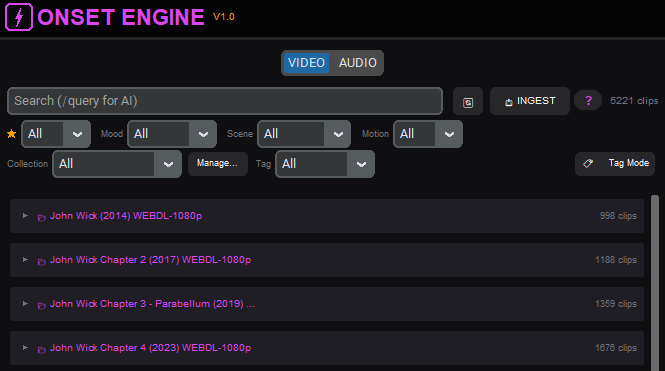
Your Footage, Semantically Understood
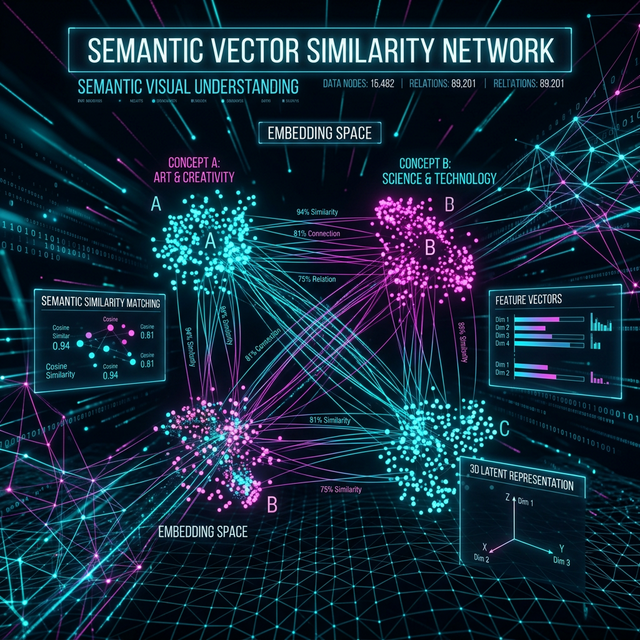
Onset Engine uses OpenCLIP to build a deep visual fingerprint of every clip in your library. This isn't keyword tagging — it's semantic understanding. The engine knows the difference between "a character standing calmly" and "an explosive fight scene" without you labeling a single frame.
- ✓ Automatic scene type and mood classification
- ✓ Semantic search — find clips by describing what's in them
- ✓ Few-shot subject propagation and mood classification
- ✓ Motion scoring for dynamic content detection
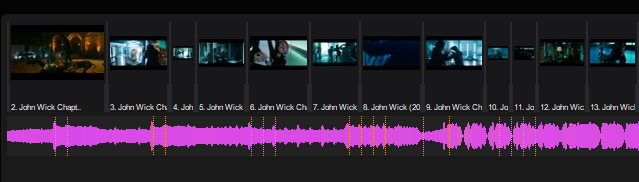
Every Beat Mapped. Every Drop Detected.
The audio engine uses librosa to decompose your music track into beats, Onset Engine strength envelopes, and energy curves. Cuts don't just land on beats — they accelerate during buildups and breathe during interludes.
- ✓ Beat detection and BPM analysis via librosa
- ✓ Continuous energy mapping (0.0–1.0) with smooth pacing interpolation
- ✓ Drop detection — finds the 30-second peak energy window
- ✓ Silent tail trimming — auto-trims fade-outs so videos don't play over silence
- ✓ Voice activity detection for smart audio ducking
- ✓ onset-aware cut snapping (±200ms musical precision)
Memory-Safe Chunked Rendering
Render 10-hour compilations without crashing. The EDL-based pipeline processes clips in chunks of 10–20, flushing RAM between each batch. Final output is stitched via FFmpeg with music and bumpers.
- ✓ Two-phase architecture: Selection (~30s) → Render (chunked)
- ✓ Multithreaded MoviePy rendering (3–4× speedup)
- ✓ Maximum quality: NVENC p6/CQ17 with full prestige VFX
- ✓ Narrative arc modes: Buildup → Drop, Flat, or Follow Music

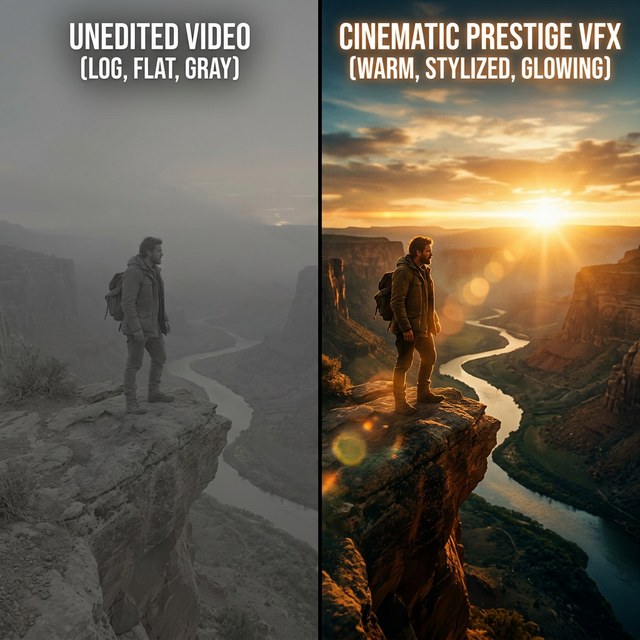
Cinematic Effects, Zero Manual Work
Nine built-in style presets — each with signature cinematic effects powered by AI depth estimation, optical flow, and foreground extraction. From raw cuts to full Hollywood prestige with halation, anamorphic streaks, luma-matte transitions, and beat-reactive effects. Build your own presets and share them as JSON.
- ✓ Face-aware smart cropping
- ✓ AI cutout pop transitions + luma-matte brightness reveals
- ✓ MiDaS depth parallax and rack focus effects
- ✓ Film halation, anamorphic streaks, echo trails, VHS tracking
- ✓ Optical-flow motion streaks and speed freeze effects
- ✓ Beat-reactive bloom, light leaks, and bass blur pulse
- ✓ Dissolve, luma-matte, whip pan, cutout pop, and zoom transitions
- ✓ Cinematic letterboxing and color grading
Content-Agnostic by Design
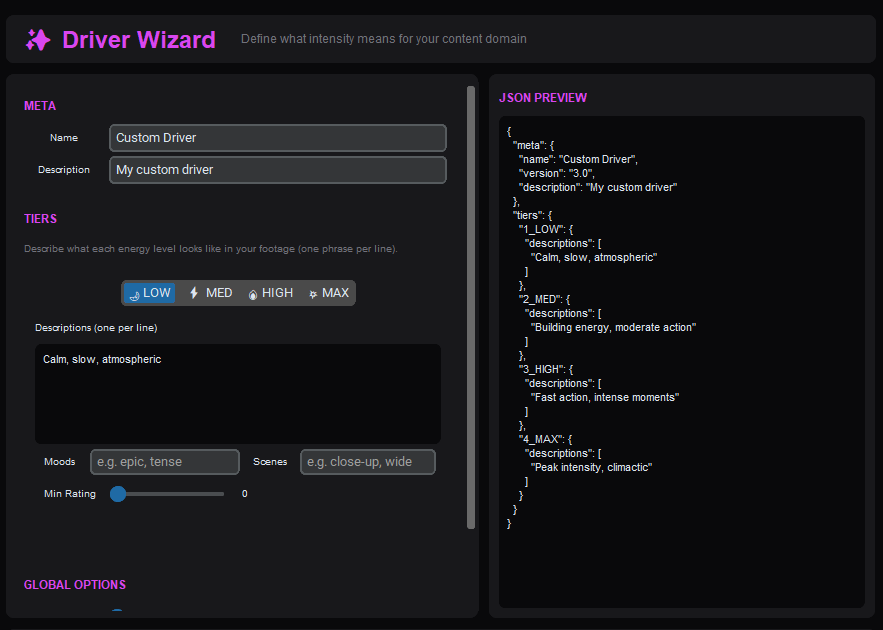
Onset Engine is not hard-coded for any content type. The JSON Driver System lets you define what "intensity" means for any genre — anime, gaming, nature, automotive. v3 drivers support subject tags, mood filters, min-rating gates, and contrastive scoring that measures tier specificity, not just raw CLIP similarity.
{
  "meta": { "name": "AMV", "version": "3.0" },
  "tiers": {
    "1_LOW": {
      "descriptions": ["character standing calmly"],
      "moods": ["serene"]
    },
    "4_MAX": {
      "descriptions": ["massive energy explosion"],
      "moods": ["epic"],
      "min_rating": 4
    }
  }
}
One Click. Full Video.
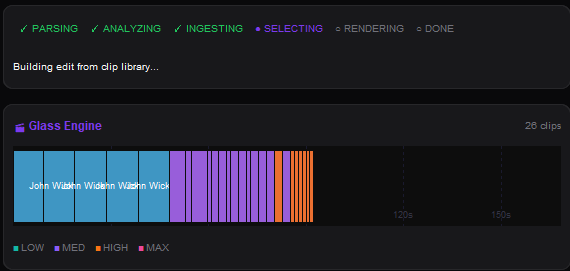
Describe what you want in plain text — "calm landscapes during quiet parts, explosive action on the drops." Hit 🚀 Generate & Render. Onset Engine ingests your footage, analyzes every beat, selects clips by semantic match, and renders a final video with full VFX — no manual timeline work.
- ✓ Text-prompted clip direction — describe low and high energy in natural language
- ✓ Auto-generates a 4-tier semantic driver from your descriptions
- ✓ Glass Engine live timeline — watch clips placed in real-time
- ✓ Vision Matrix — live 3×3 AI analysis grid during ingest
Live Video Mixing. Zero Latency.
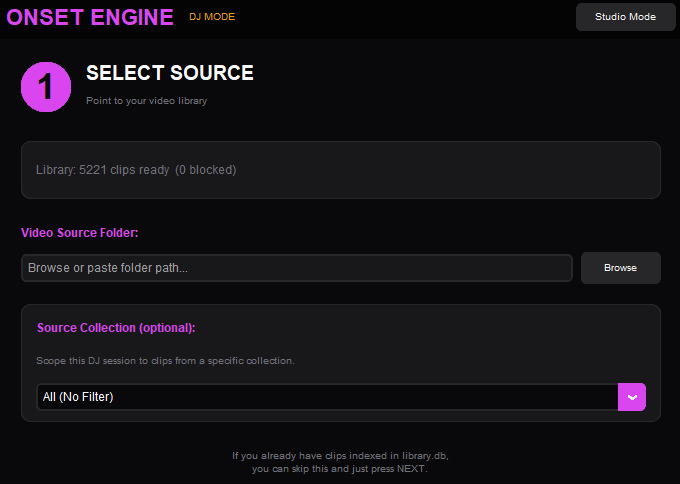
Launch a gapless, hardware-decoded MPV session that mixes clips to your music in real-time. Keyboard-driven energy tiers let you ride the mix like a DJ — force transitions on beats, lock styles mid-set, and cue CLIP text queries on the fly.
- ✓ Gapless MPV playback with hardware decoding
- ✓ Energy tier locking — force calm, medium, or intense footage
- ✓ Live CLIP text query — type a phrase, instantly match clips
- ✓ Session recording — save as EDL, render to MP4 later
- ✓ Library-aware: uses driver scoring, ratings, and collections
Describe It. Don't Configure It.
You don't need to write JSON to tell Onset Engine what you want. Two text fields in Studio Mode — "During quiet parts, focus on..." and "On the heavy drops, focus on..." — auto-generate a full 4-tier semantic driver behind the scenes. Power users can still open the Driver Wizard or load a custom JSON.
- ✓ Natural language input — no schema knowledge required
- ✓ Auto-generates 1_LOW → 4_MAX tiers from your descriptions
- ✓ Priority chain: custom driver JSON → text descriptions → motion fallback
- ✓ Vision query — filter footage at ingest time by describing what you want
- ✓ Crate Digger — rate clips while you wait for the render
Fix the Last 5%. Manually.
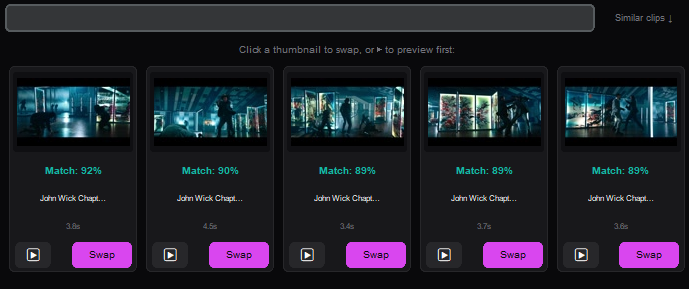
The AI gets 95% of the edit perfect. The Curator gives you manual tools to fix the rest — swap a bad clip, nudge timing by one frame, or re-roll until the cut feels right. Available for Core and Studio users.
- ✓ Swap — click any clip, search your entire library by text
- ✓ Micro-slip ±1 frame — nudge clip start without moving the cut point
- ✓ Pin & Lock — protect clips from re-rolls
- ✓ OTIO Export — open your timeline in Premiere Pro, DaVinci Resolve (Studio)
Pro Integrations
Onset Engine fits into your existing workflow, not the other way around.
📐 OpenTimelineIO Export (Studio)
Export your AI-generated timeline as a .otio file. Open it directly in DaVinci Resolve, Premiere Pro, or any OTIO-compatible NLE. Full editorial control, zero lock-in.
📱 Triptych Mode (Studio)
Automatically generate 3-panel side-by-side vertical layouts (1920×1080). Perfect for TikTok, Reels, and Shorts — the viral format that keeps audiences watching.
🎧 Audio Ducking
Voice activity detection automatically ducks the background music during dialogue segments. Mix original clip audio alongside your chosen track with precision.
📁 Pointer-Only Ingest (Core+)
Index 4TB of video without duplicating a single file. The Skip Clip Cutting option creates virtual pointers in the database. Zero extra disk space.
📂 Source Collections
Create named subsets of your library. Scope renders, DJ sessions, and autopilot runs to specific collections — perfect for organizing projects by client, genre, or shoot date.
⭐ Unified Tagging
Quality ratings, mood and scene type classification, and few-shot subject propagation. Tag 5 clips, the AI finds the other 800.
See It in Action
Download the free demo and watch Onset Engine analyze your footage locally.